# How to integrate Typeform into your React application

### Introduction

Recently, i was working with a React application and i wanted to integrate a form that i created on Typeform.  
This article is explaining how you can manage that using the React Embed Typeform library.  

### Create a Next.js application

Let's create a Next.js app 

```
yarn create next-app
``` 

and start the server

```
yarn dev
``` 

We will edit the pages/index.js page this way.


```
import Head from 'next/head'
import Image from 'next/image'
import styles from '../styles/Home.module.css'

export default function Home() {
  return (
    <div className={styles.container}>
      <Head>
        <title>Create Next App</title>
        <meta name="description" content="Generated by create next app" />
        <link rel="icon" href="/favicon.ico" />
      </Head>

      <main className={styles.main}>
        <h1 className={styles.title}>
          Welcome to <a href="https://nextjs.org">Next.js!</a>
        </h1>

        <p className={styles.description}>
          Get started by editing{' '}
          <code className={styles.code}>pages/index.js</code>
        </p>

        <div className={styles.grid}>
          Your Typeform will be here
        </div>
      </main>

      <footer className={styles.footer}>
        <a
          href="https://vercel.com?utm_source=create-next-app&utm_medium=default-template&utm_campaign=create-next-app"
          target="_blank"
          rel="noopener noreferrer"
        >
          Powered by{' '}
          <span className={styles.logo}>
            <Image src="/vercel.svg" alt="Vercel Logo" width={72} height={16} />
          </span>
        </a>
      </footer>
    </div>
  )
}

``` 

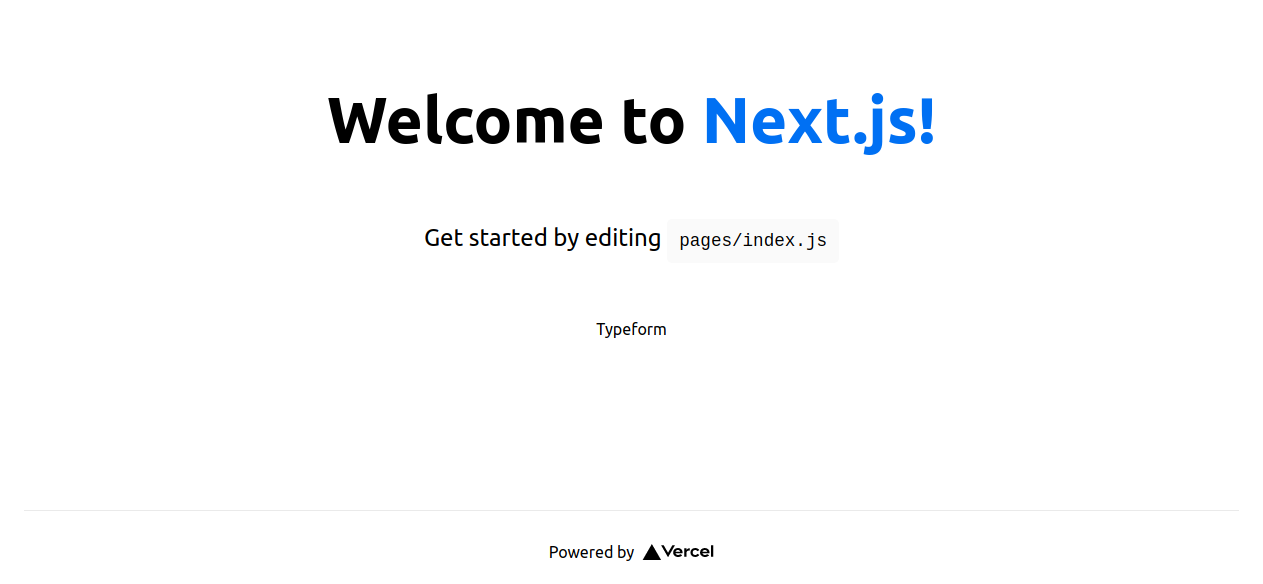
You will see something like this in your browser : 

![Screenshot from 2022-03-01 14-23-09.png](https://cdn.hashnode.com/res/hashnode/image/upload/v1646141039526/NrSndDkjd.png)


### Embed typeform

Typeform has an official [React Embed Library](https://developer.typeform.com/embed/react/)


```
yarn add @typeform/embed-react
``` 

And use it inside your component like this 

```
import { Widget } from '@typeform/embed-react'

const MyComponent = () => {
  return <Widget id="<form-id>" style={{ width: '50%' }} className="my-form" />
}
``` 

### Integrate your form into your application

Let's add our form into our index page 

The first thing you need is your form id : 

You can find <form-id> from the public URL of your form 

```
form.typeform.com/to/<form-id>
``` 

Let's modify our index.js to add our Widget.

```
import { Widget } from '@typeform/embed-react'

export default function Home() {
  return (
    <div className={styles.container}>
      <Head>
        <title>Create Next App</title>
        <meta name="description" content="Generated by create next app" />
        <link rel="icon" href="/favicon.ico" />
      </Head>

      <main className={styles.main}>
        <h1 className={styles.title}>
          Welcome to <a href="https://nextjs.org">Next.js!</a>
        </h1>

        <p className={styles.description}>
          Get started by editing{' '}
          <code className={styles.code}>pages/index.js</code>
        </p>

        <div className={styles.grid}>
           // ------ here is your Widget ------------
          <Widget id="<form-id>" style={{ width: '500px', height: "400px" }} className="my-form" />
        </div>
      </main>
...
``` 
NB : don't forget to replace the <form-id> with your form id ! 

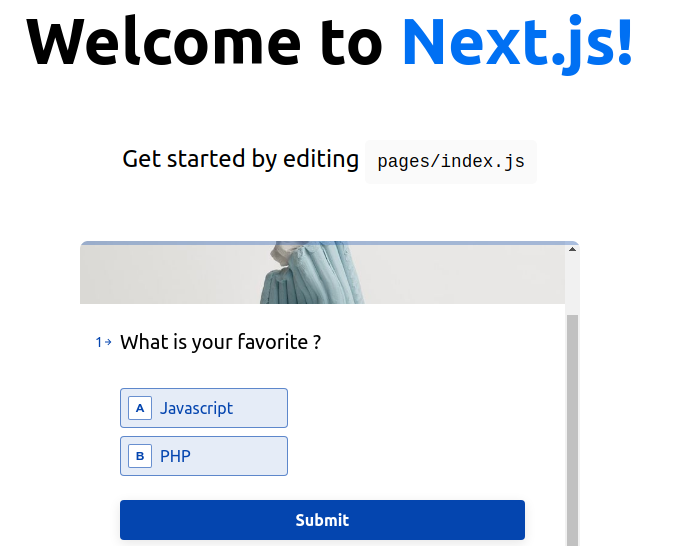
You should see your Widget now in your application

![Screenshot from 2022-03-01 14-51-33.png](https://cdn.hashnode.com/res/hashnode/image/upload/v1646142710105/fEt_7LBNZ.png)

You can also choose to display your Typeform with a Popover or a Slidertab if you like.
Check the documentation to see all the display options.


### Conclusion

As you can see, it's pretty easy ! 
If you have any questions, feel free to ask in the comments ! 

See you in the next one ! 

 
